
Settings overview

Use Settings to control how your agency is identified, how team members get access, and how tickets and tasks behave. The settings available to you depend on your role and department-level permissions.
Open Settings
Section titled “Open Settings”Select the Settings gear in the left navigation ( /settings (opens in new tab) ). Use Search settings… or expand a group in the Settings sidebar to find a page.
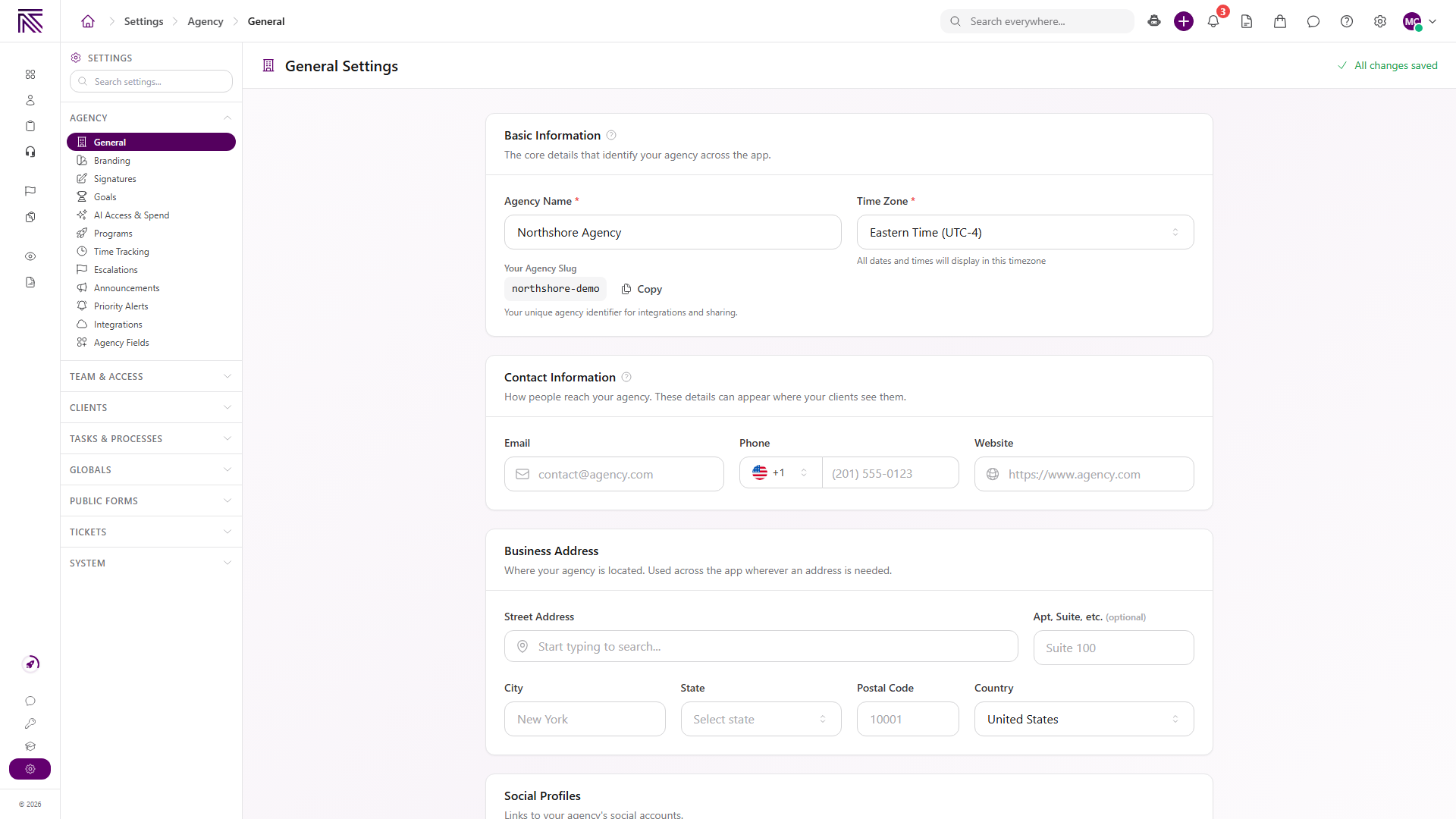
The sidebar groups settings into Agency, Team & Access, Clients, Tasks & Processes, Globals, Public Forms, Tickets, and System. This collection covers the areas most directly involved in agency setup and day-to-day configuration.
Who can access settings
Section titled “Who can access settings”- Agency owners and users with the Administrator role have full access.
- Members receive access through their department-level assignments and permissions.
- Opening most Agency and System pages requires View Settings. Changing agency identity, branding, or shared notification defaults requires Edit Settings.
- The Archive tab in System Logs uses the separate View Archive permission. Restoring an item requires Restore Archive Items.
- Ticket settings require Manage Ticket Settings.
- Process configuration requires View Process Definitions.
- A page or control can be unavailable when your role does not include the corresponding permission.
Open Team & Access, then Permissions, to review which department levels can access each part of AgencyTitan. See Agency settings for the relationship between users, roles, departments, and permissions.
Review and restore archived items
Section titled “Review and restore archived items”Open Settings, then System, then System Logs, and select Archive ( /settings/system/logs/archive (opens in new tab) ). The Archive restoration center lists archived records across the agency. Search the list, browse by group or entity type, and use Restorable only to focus on items that currently pass the restore checks.
View Archive (archive.view) lets a team member open the Archive tab, inspect archived-record details, and see each item’s current status. Restore Archive Items (archive.restore) adds the restore action for items that are eligible. These permissions are separate, so a member may have read-only access without being able to restore anything.
Before a row’s details open, AgencyTitan runs a current-condition preflight. A row can show one of these statuses:
- Restorable: the current checks allow the item to be restored.
- Needs check: the item may be restorable, but a current condition needs attention or has changed since the list was loaded. Review the reason shown in the details before trying again.
- View only: the item is visible for audit and recovery context but does not have a supported restore path. The restore permission does not change this status.
When you confirm a permitted restore, AgencyTitan checks the item again, verifies its tenant and active parent or related records, and applies the supported restore operation. Some restores include related archived records or follow-up flags; the confirmation details show those counts and notes. If a conflict appears during the final check, the item remains archived and the reason is shown instead of forcing a partial restore.
Main settings areas
Section titled “Main settings areas”| Area | What it controls |
|---|---|
| Agency settings | Agency identity, contact details, branding, users, roles, departments, and department-level permissions. |
| Ticket settings | Inboxes, statuses, ticket-specific tags and priorities, SLA defaults, lifecycle behavior, routing, reply templates, and assignment options. |
| Process settings | Process definitions, stages, statuses, fields, task sidebar defaults, and other per-process configuration. |
| Notification settings | Agency-wide email and in-app defaults for supported notification events, plus user-specific overrides. |
| Personal controls | Your notification center, current agency, and availability status. |
| Archive | Review archived records and restore eligible items from System Logs. |
Guides in this category
Section titled “Guides in this category” Guide Set up departments and levels Create departments, add levels, and grant permissions before you invite Members.
  Guide Agency settings Update agency identity and branding, and understand how users, roles, departments, and permissions fit together.
  Guide Ticket settings Understand the general ticket configuration and continue to the existing inbox, routing, and reply-template guides.
  Guide Process settings Find process definitions and review stages, statuses, fields, and task display settings at a high level.
  Guide Notification and personal settings Set agency-wide notification defaults, review your notification center, and change your availability status. Guide Public form submission settings Choose whether submissions match existing clients by email and phone or always create a new client.
 Related articles
 Concept Core Concepts Learn the AgencyTitan product model: workspace, clients, tasks, tickets, escalations, chat, SOPs, training, views, automations, programs, and settings.
  Concept Tickets overview How the Tickets inbox, ticket conversations, assignment, statuses, inboxes, routing rules, and reply templates fit together.
  Concept Tasks & processes overview Understand how task types, process definitions, stages, fields, layouts, assignments, and tasks fit together.
  Concept Views and dashboards overview Understand how AgencyTitan views combine tables, Kanban boards, calendars, charts, and metrics into scoped dashboards and work surfaces. How-to Public form submission settings Configure how public form submissions match existing clients or create new client records.